Sprinklr Resources
Last updated 10/11/2023
Critical Sprinklr Updates: When setting up a post in Sprinklr that contains a video asset on our Facebook or Linkedin channels, make sure that you customize the title of the asset to something relevant to the content. Otherwise, the post will automatically publish with the naming convention.
is our social media management platform where we create and upload our social plans, streamline our post approval process, schedule posts, and house all of our social creative assets. Below you’ll find helpful resources on how to navigate the platform.
All Other Guidance
*Note: Assets should be uploaded into the Sprinklr Content Center before uploading any social posts.
- Create a new folder under the “Content” tab at the top of the window. The new folder name should match with the campaign name and upload the assets into Sprinklr.
Format: DIVISION_SUBDIVISION_TOPIC_CampaignName_Year
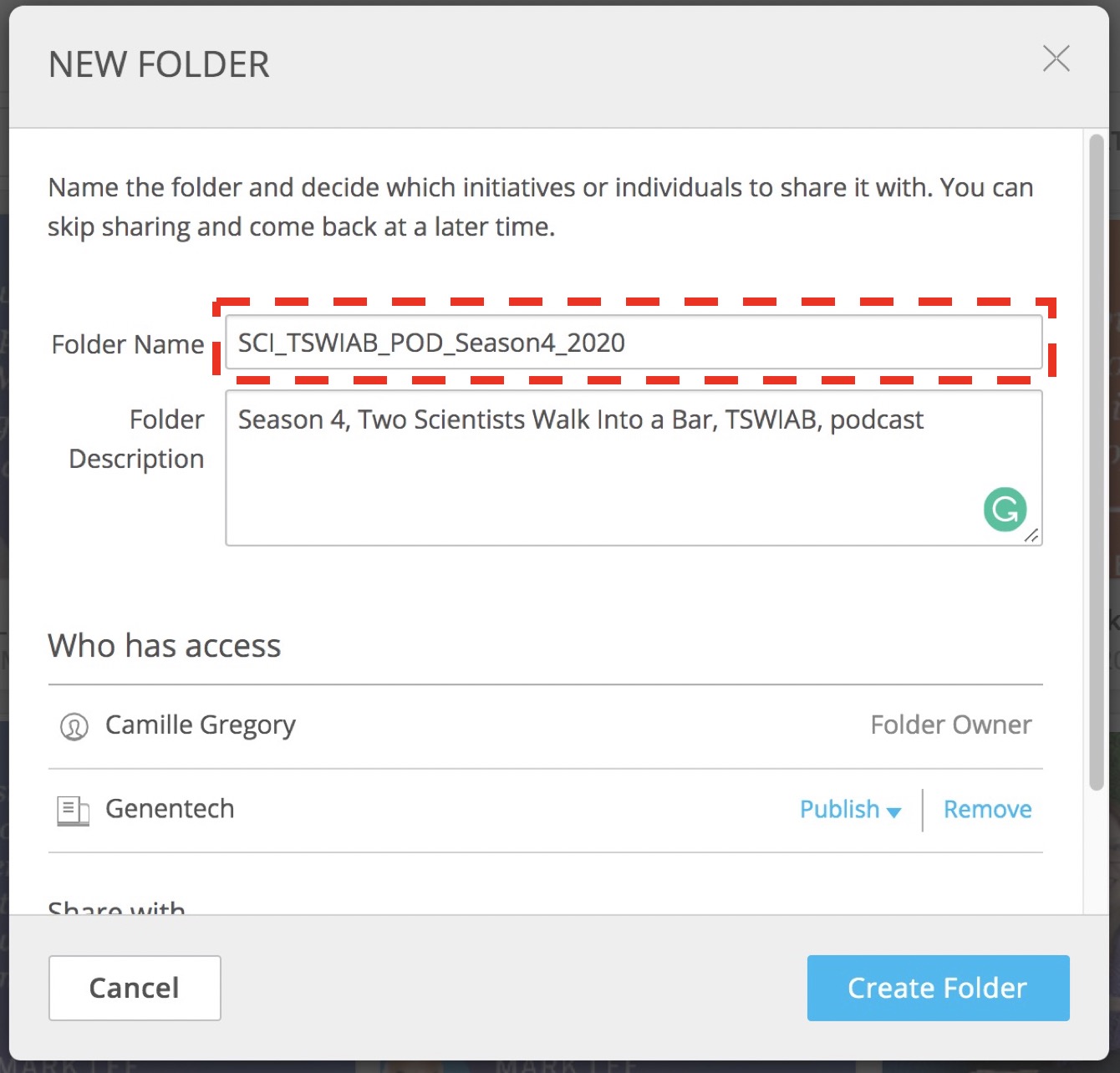
- Tag each individual asset uploaded with relevant keywords for the campaign using our standard naming conventions so we can easily find them in the future.
Format: DIVISION_SUBDIVISION_TYPE_CampaignName_CHANNEL
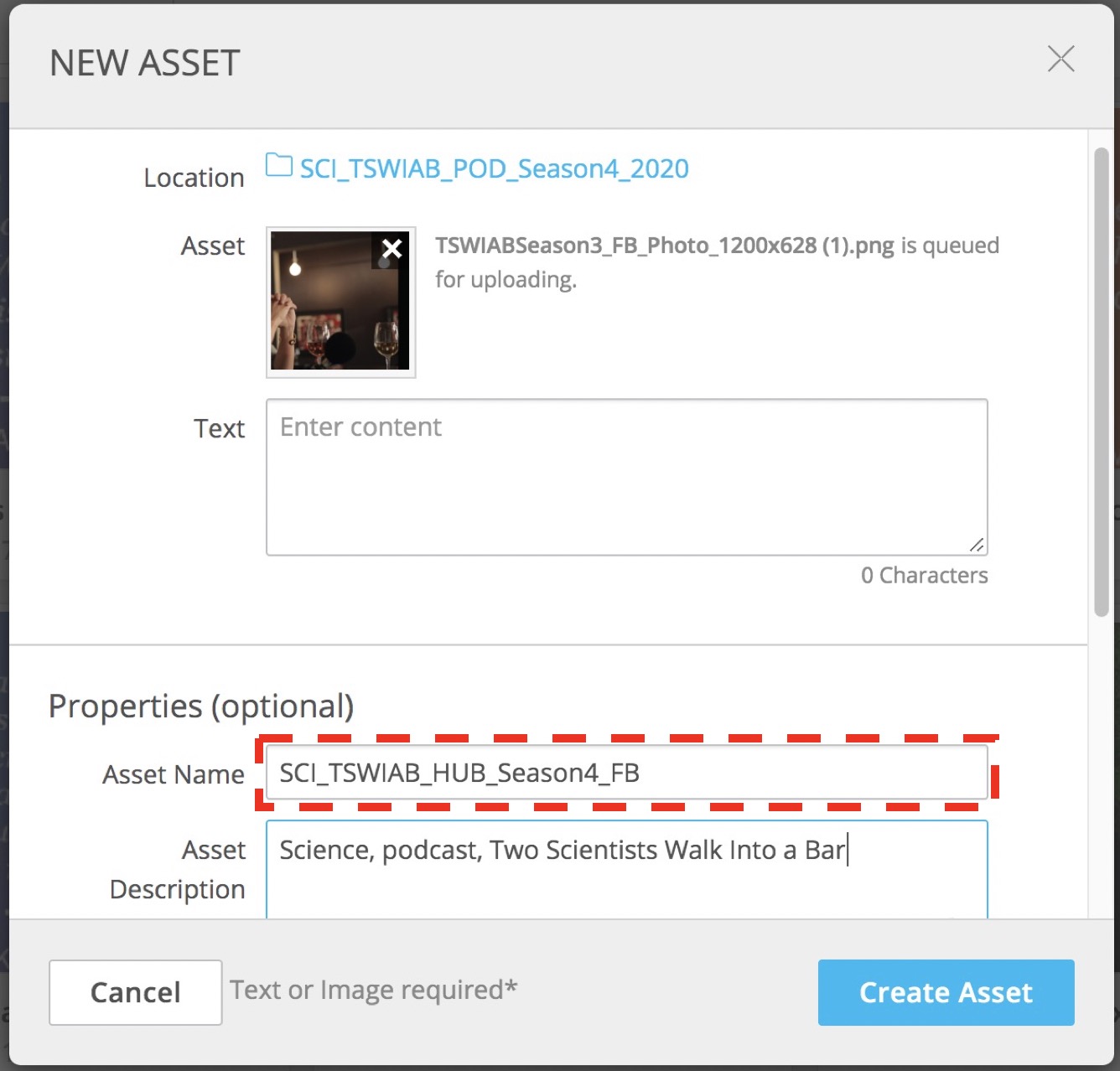
*Note: Assets should be uploaded into the Sprinklr Content Center before uploading any social posts.
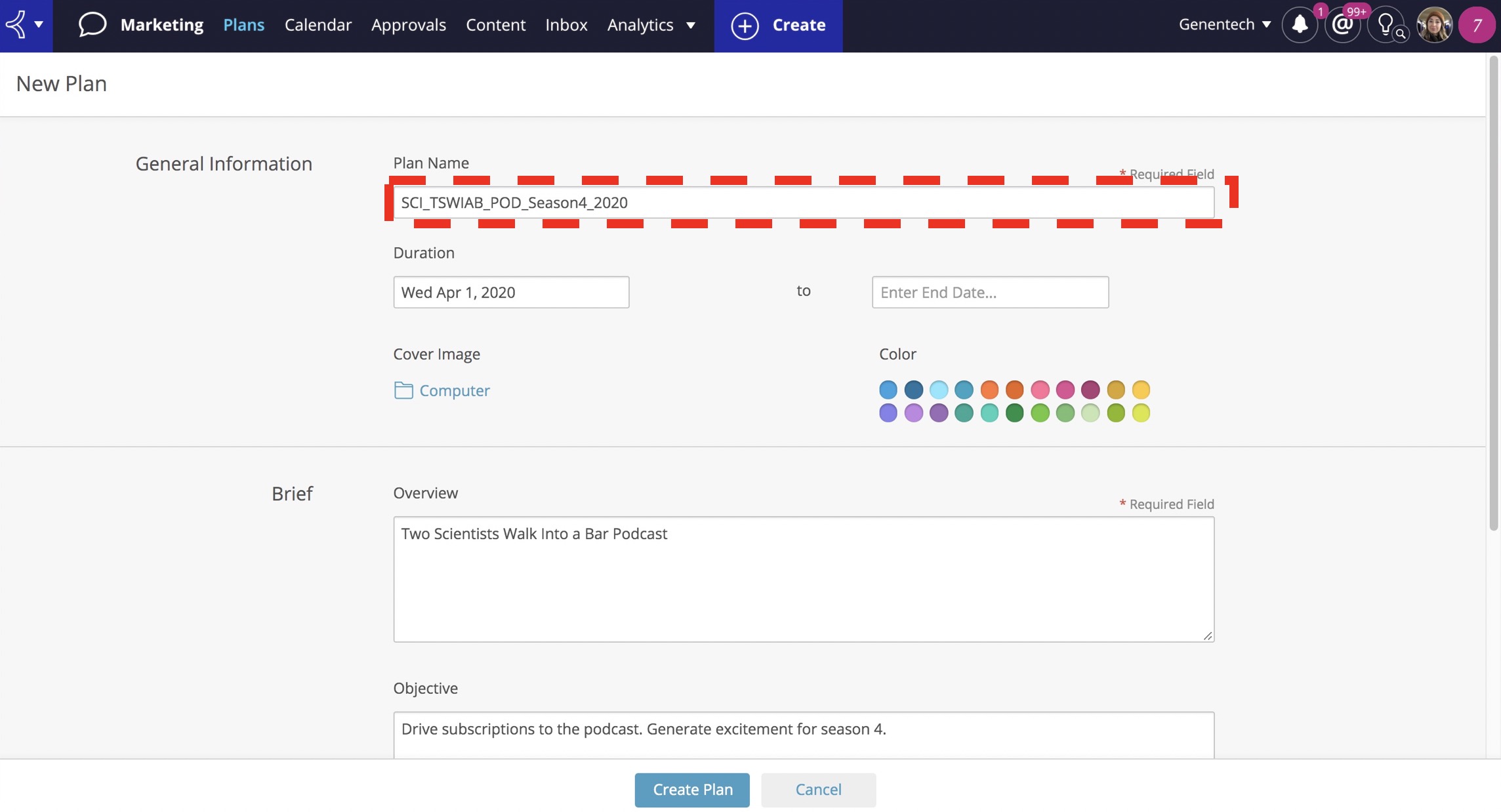
- To create a new social plan, click on the “Plans” tab at the top of the window and then hit the blue “New Plan” button in the upper right-hand corner.
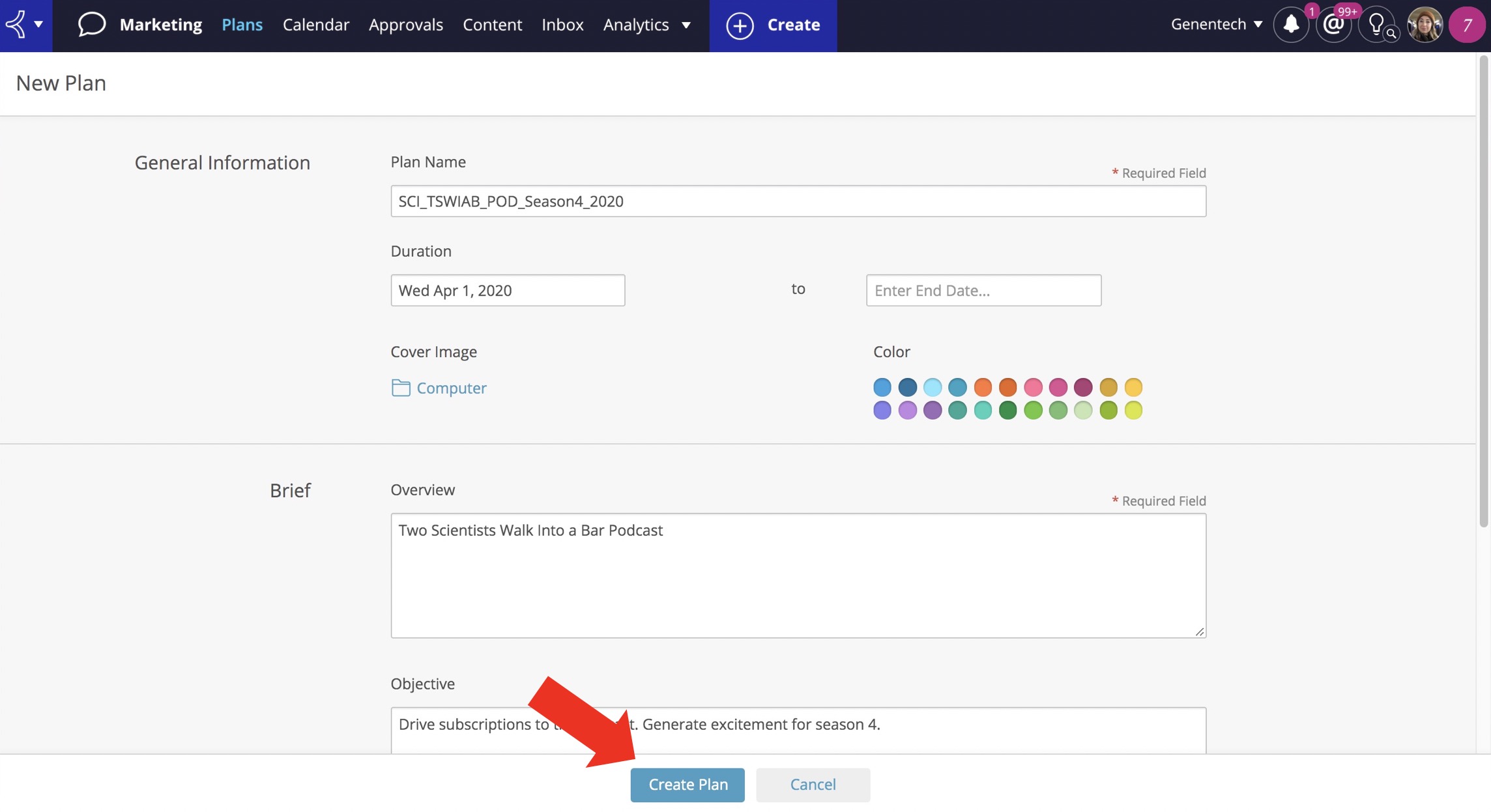
- Next, fill out all the mandatory fields using our standard naming conventions and assign the proper color-coding system as we’ve outlined by the division.
- Once you’ve entered all of the plan information, click on “create plan” at the bottom of the window.
Format: DIVISION_SUBDIVISION_TOPIC_CampaignName_Year
*Note: Assets should be uploaded into the Sprinklr Content Center before uploading any social posts.
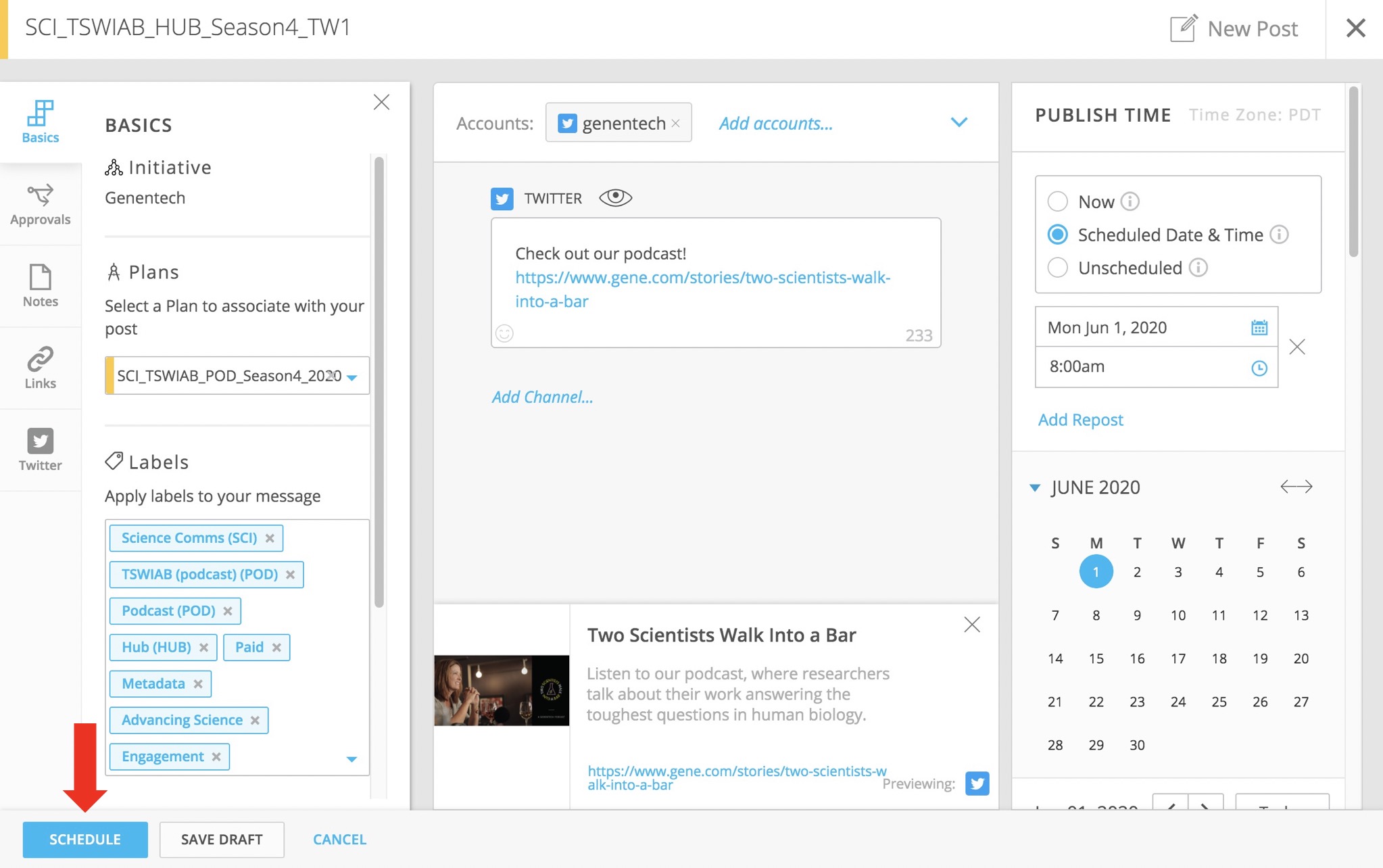
- To upload a social post, click on the blue “Create” button at the top of the window and then press on “new post” in the drop-down.
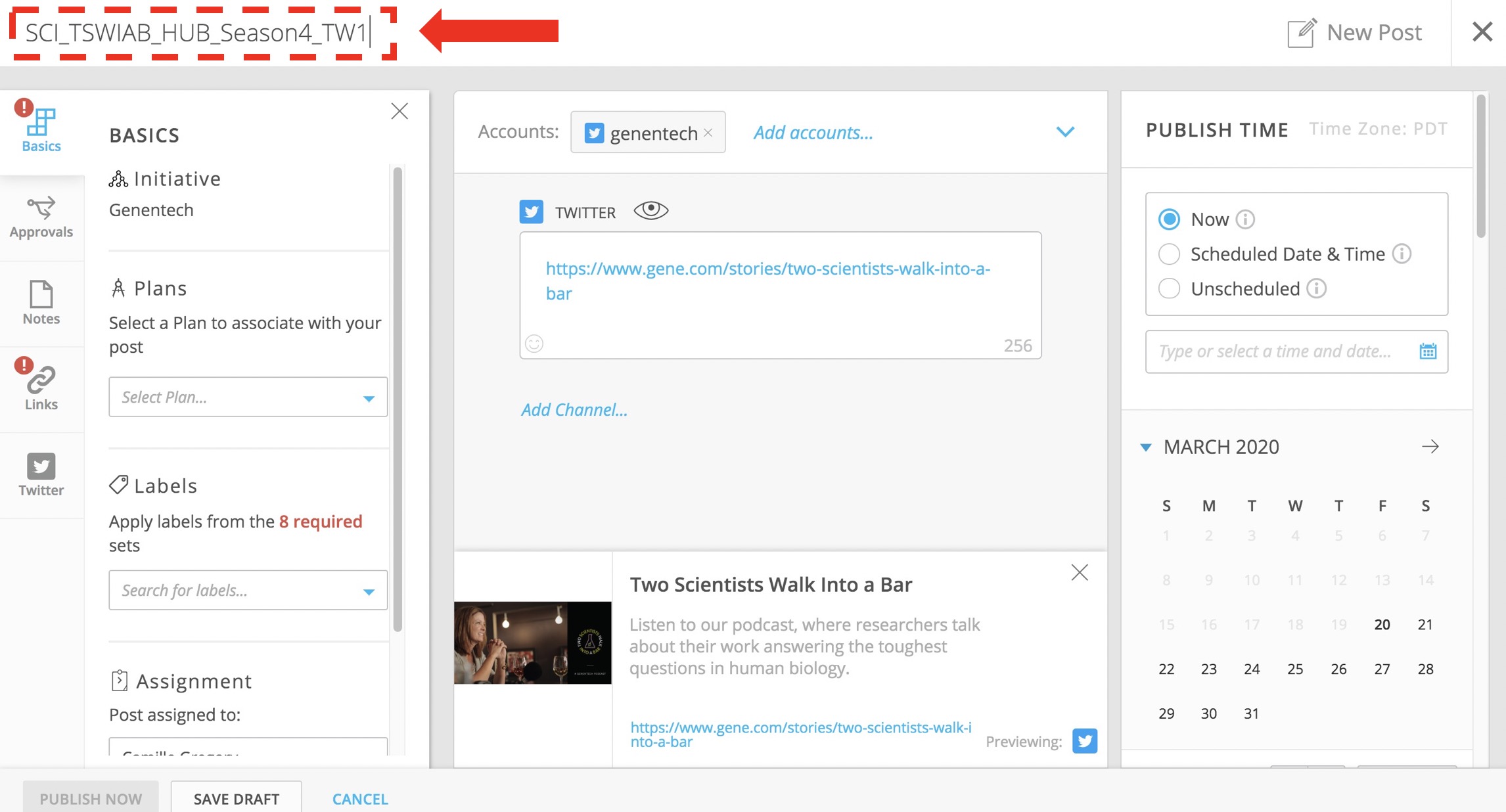
- In the new post window that pops up, enter the proper social post naming convention at the top where it says “untitled post”.
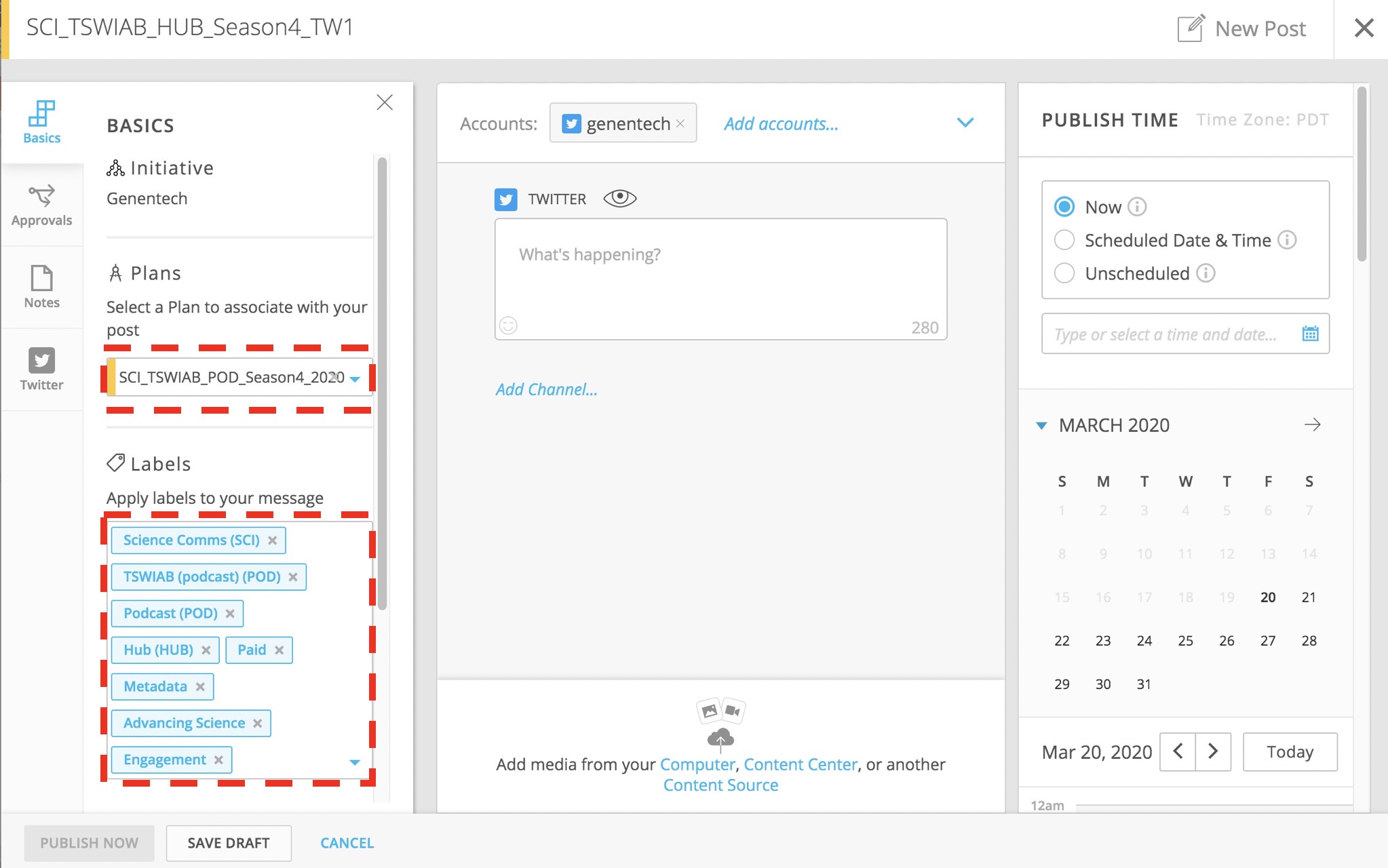
- Now, select the corresponding social plan from the drop-down on the left rail and assign the 8 mandatory label sets that relate to your plan so that the correct approval path triggers.
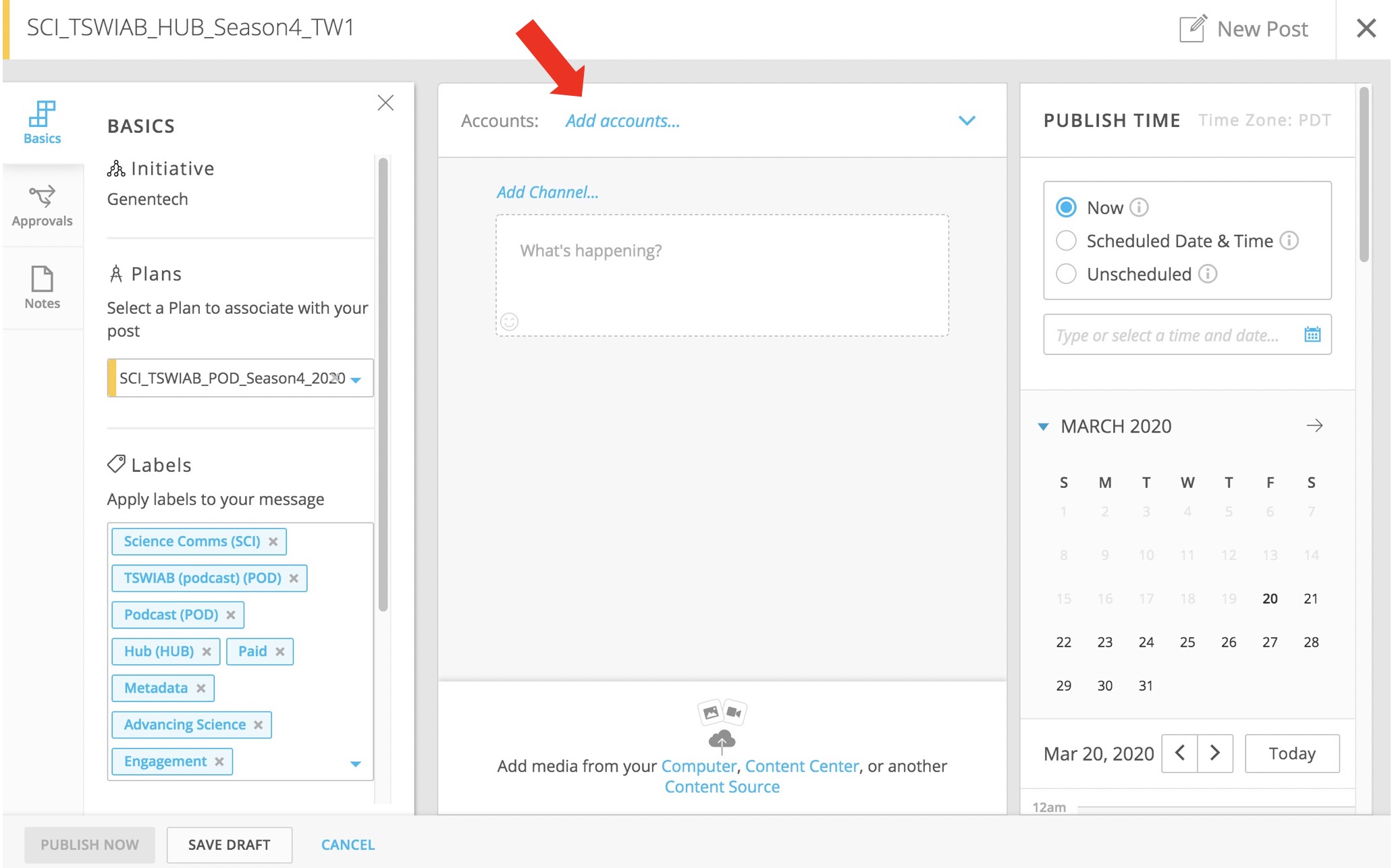
- Now assign the social channel that you’d like the post to publish to and enter your post copy and link (if applicable).
- If your post has information that is still TBD or is a Twitter or LinkedIn dark post, assign the post as “unscheduled” under the “publish time” section.
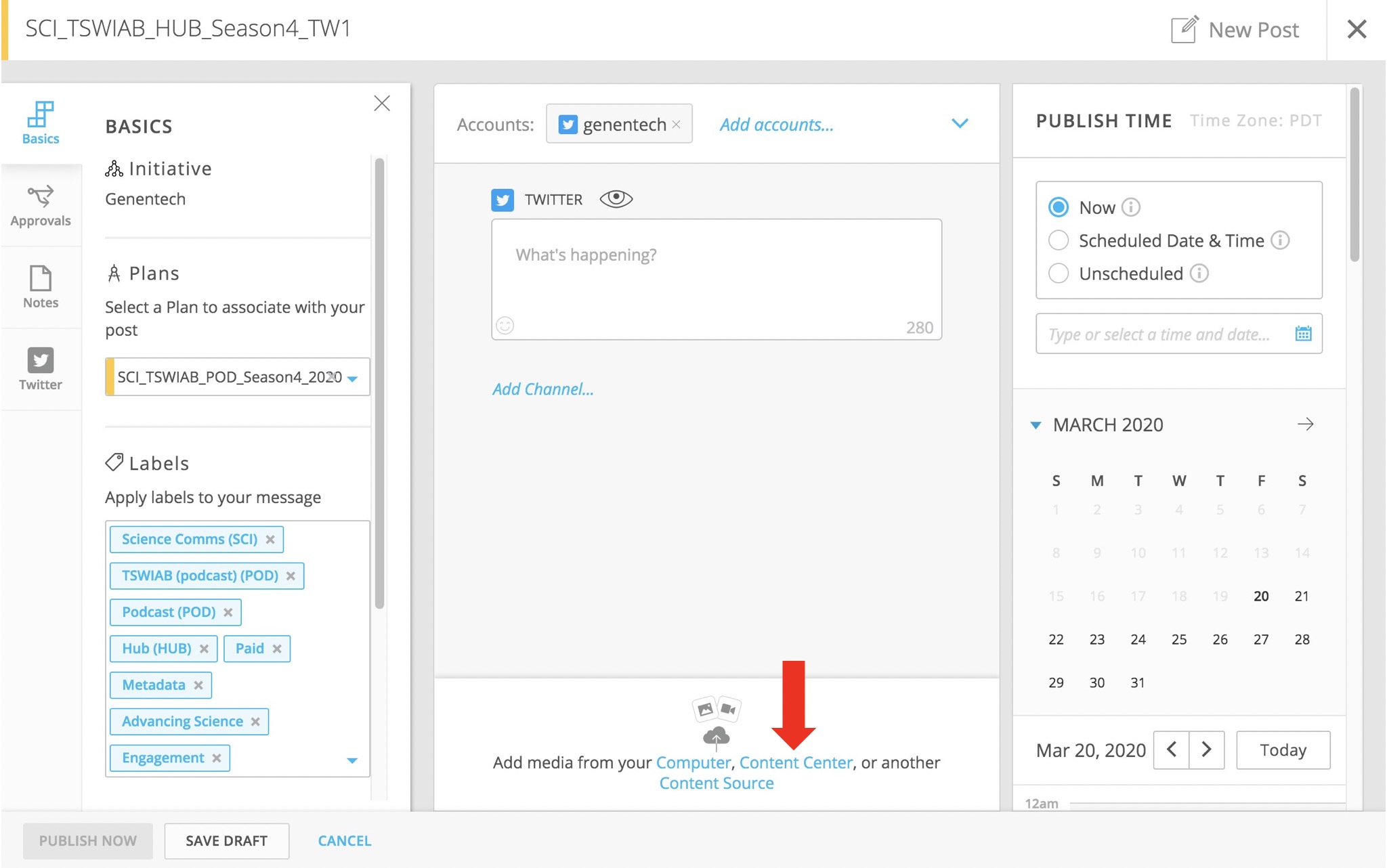
- If you’re uploading an asset to the post, click on the “add media from your Content Center” option at the bottom of the window and select from the already uploaded assets in the Content Center.
- Once you’ve entered all of the post information, click on “Schedule” at the bottom of the window.
Format: DIVISION_SUBDIVISION_TYPE_CampaignName_Channel#
Example of TBD information: Press release links, unpublished Gene.com articles.
Assets should only be uploaded through this option so that the individual usage metrics can be tracked from within Sprinklr.
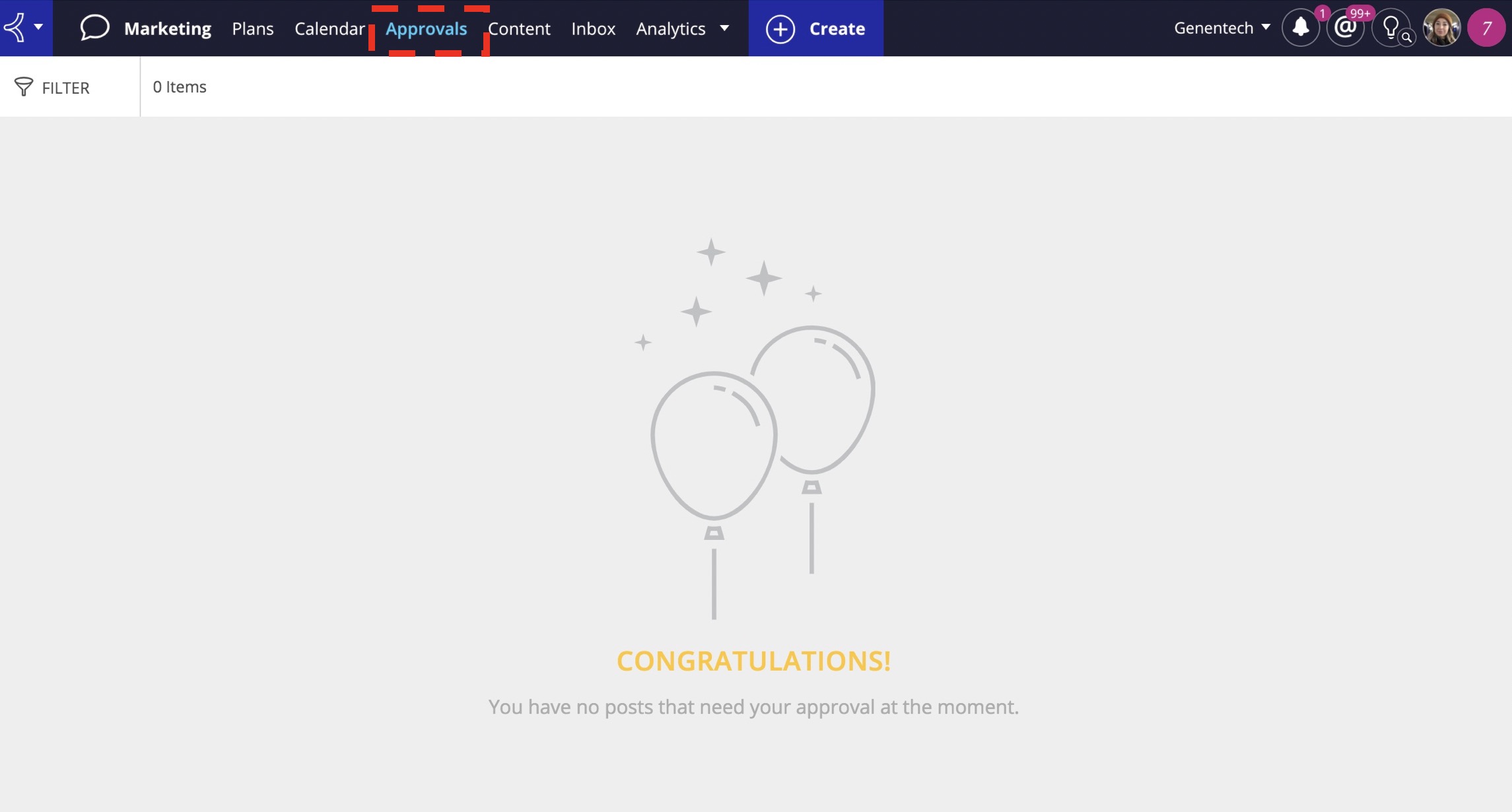
Posts that are ready for your review will be listed under the “Approvals” tab. Below are actions you can perform when reviewing posts.
Edit
The "Edit” button can be used for simple revisions to the posts.
Reject
The “Reject” button should only be used if the post is completely scraped from the campaign.
Example: A post promoting a panel at a conference and the panel has been canceled, or a post promoting data that we’ve decided not to promote.
Assign a Task
The “Assign a Task” button can be used if you’d like your agency or corporate social media team to make any edits to the post. Simply press the button, tag the correct team lead who you’d like to make the change, and leave a note with the details.
Approve
The “Approve” button is used if the post is alright to move forward with.
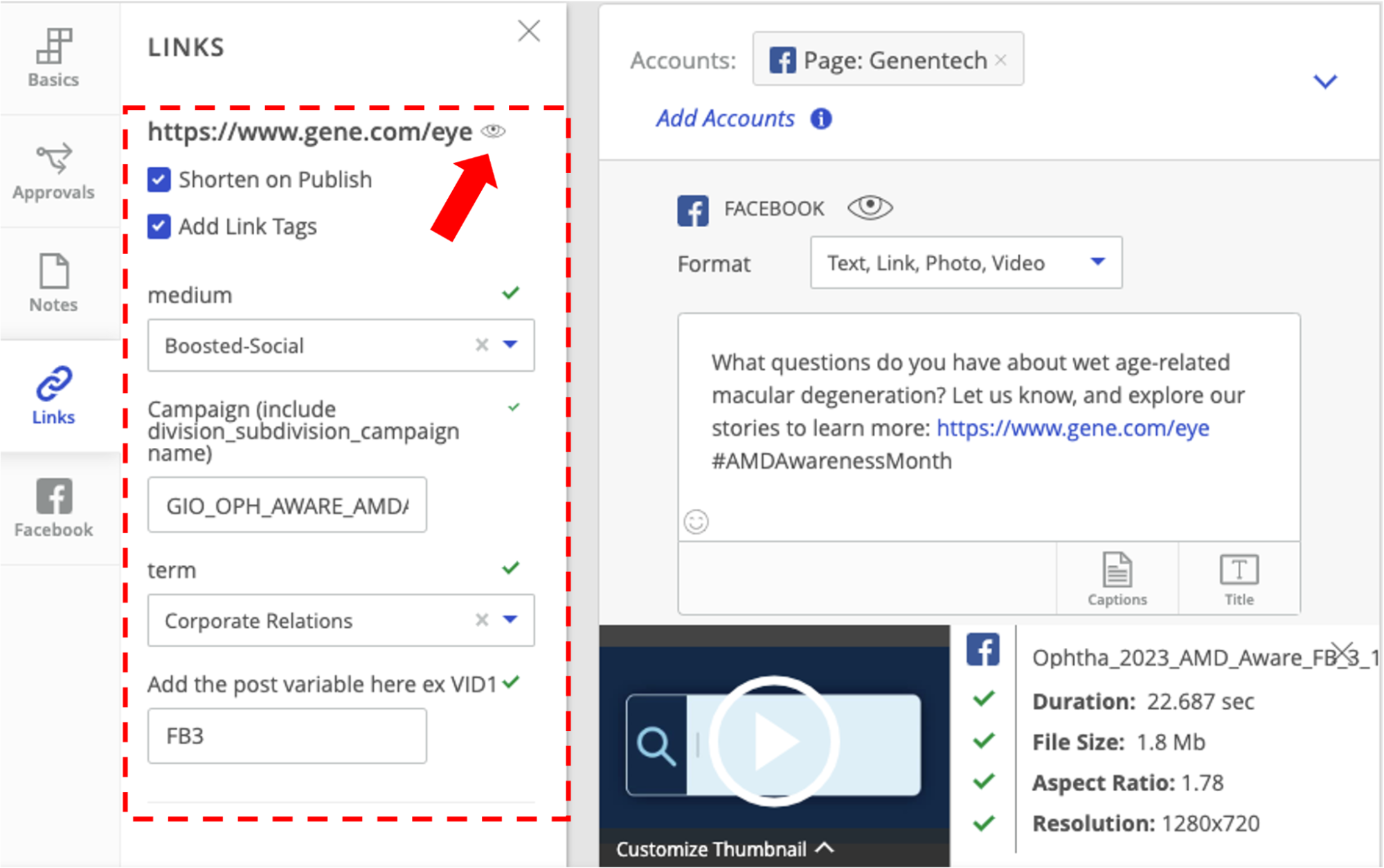
In the event a social post needs to be published natively (dark posts, #breaking tweets, etc) you will need to copy and paste the autogenerated UTM codes from Sprinklr in the post copy. Follow the steps below to find the UTM codes in Sprinklr:
1.Once the post has been created and all the necessary information has been added (labels, post copy, timing, link, etc) click on the “links” tab and then enter the information for the medium, content type, campaign, and term (select Corporate Relations for all posts), and post variable. Please refer to the UTM Parameters tab within the Naming Conventions gSheet for further direction.
2.Click on the small “eye” icon. The link that appears is the UTM code that will be copied and pasted along with the approved post copy when posting natively.
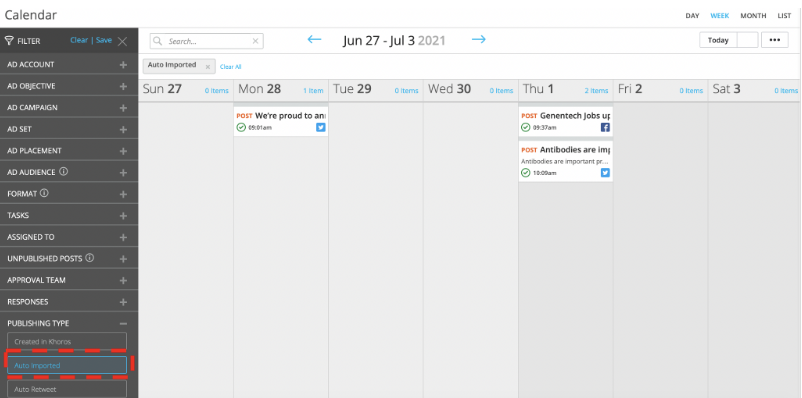
To pull in more comprehensive results of how your social campaign performed in the Digital Analytics Dashboard, you will need to retroactively assign labels to posts that were published natively on the channel platform (e.g. breaking tweets). This will be done using the "auto-import" feature in the Sprinklr calendar view. To retroactively assign these posts to a social plan and apply the proper labels, follow the below steps or check out a screen recording of how to do this here
- Go to the “Calendar” tab at the top of the window.
- Adjust the calendar view to reflect the date your post was published.
- Select the “Filter” option to the left. Scroll down to “Publishing Type” and select “Auto Imported”
- Select your post from the calendar. Under the “Basics” tab, assign the required post labels. Click “Add to Plan”, find the corresponding plan and press save.
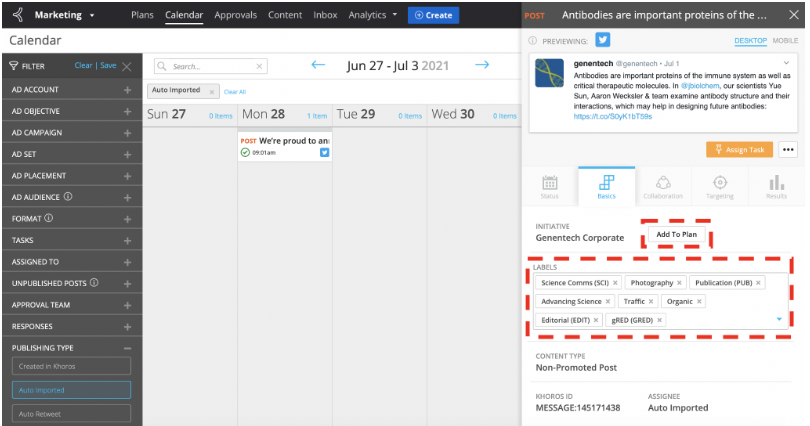
*Note: Due to API limitations, Sprinklr does not auto-import all post formats (e.g. custom Twitter website cards).
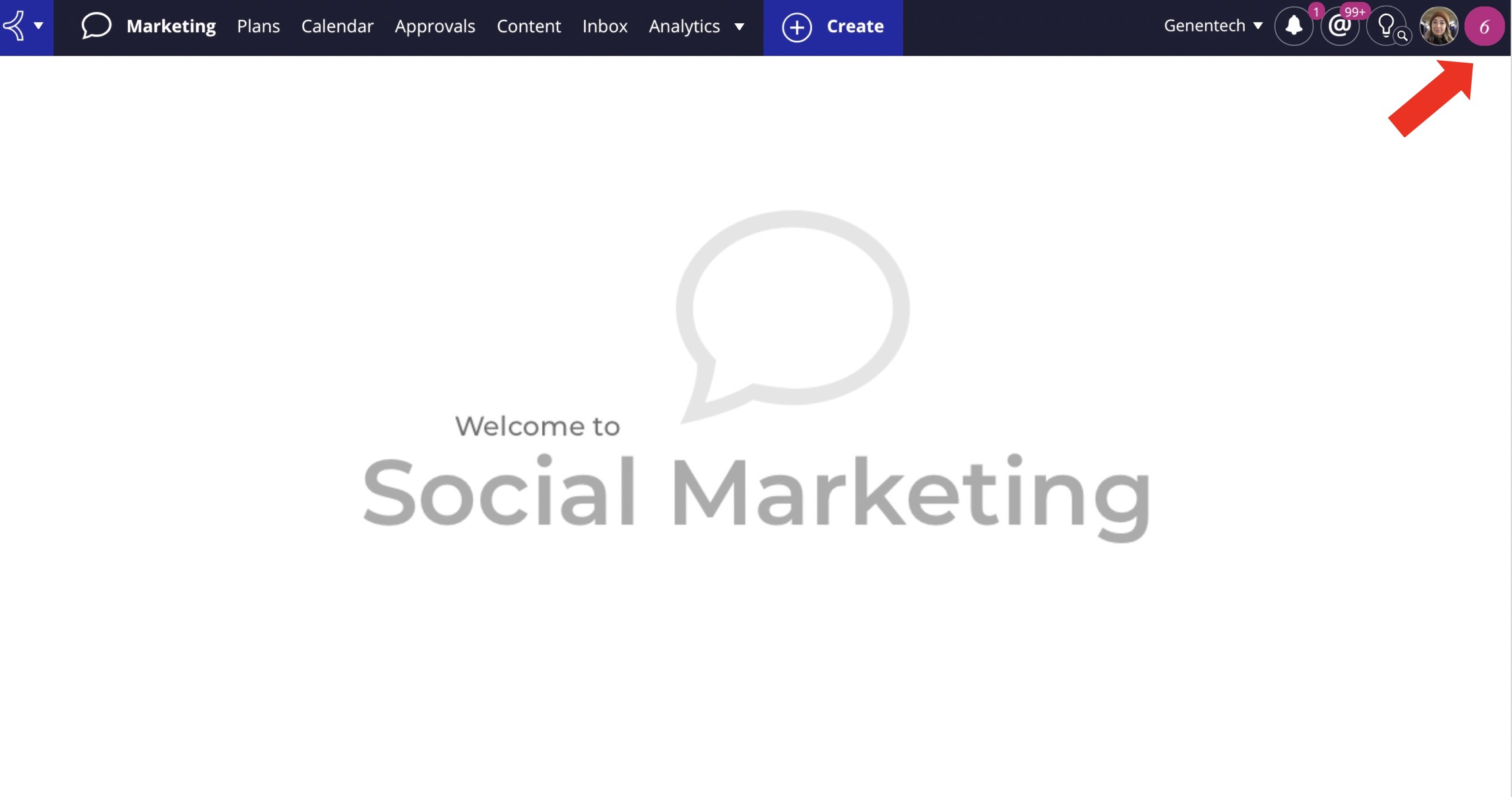
Sprinklr offers help articles that provide troubleshooting information on issues that their users often run in to. To find the articles, click on the icon to the right of your avatar at the top right of the window, and then select “search for knowledge” in the drop-down. Then, type keywords in the open search field to find an article that relates to your question.
If you aren’t able to resolve your Sprinklr issue with the help articles, please reach out to the social media team via email at [email protected] with any troubleshooting questions. Additionally, the Sprinklr support team can also be reached at [email protected] if you prefer to contact them directly.